The multicloud conversation around Oracle tends to jump straight to the Database@ services, where Oracle hardware sits inside another cloud's data center. But there is a quieter, often cheaper pattern that solves much of the same problem: keep the database on native OCI, where it runs best, and connect it to the applications on AWS over a dedicated private path. That pattern is Oracle Interconnect for AWS, and for many split stack architectures it is the pragmatic answer, not the compromise.
This article is part of our multicloud database series; the pillar, Oracle Database@Azure, @AWS, and @Google Cloud: The Buyer Guide, frames the strategic choice across providers. Here we focus on the private pairing of OCI and AWS networks, how it differs from Database@AWS, and how to decide between them. If your split is with Microsoft, the same logic applies in Database@Azure networking.
What the interconnect actually is
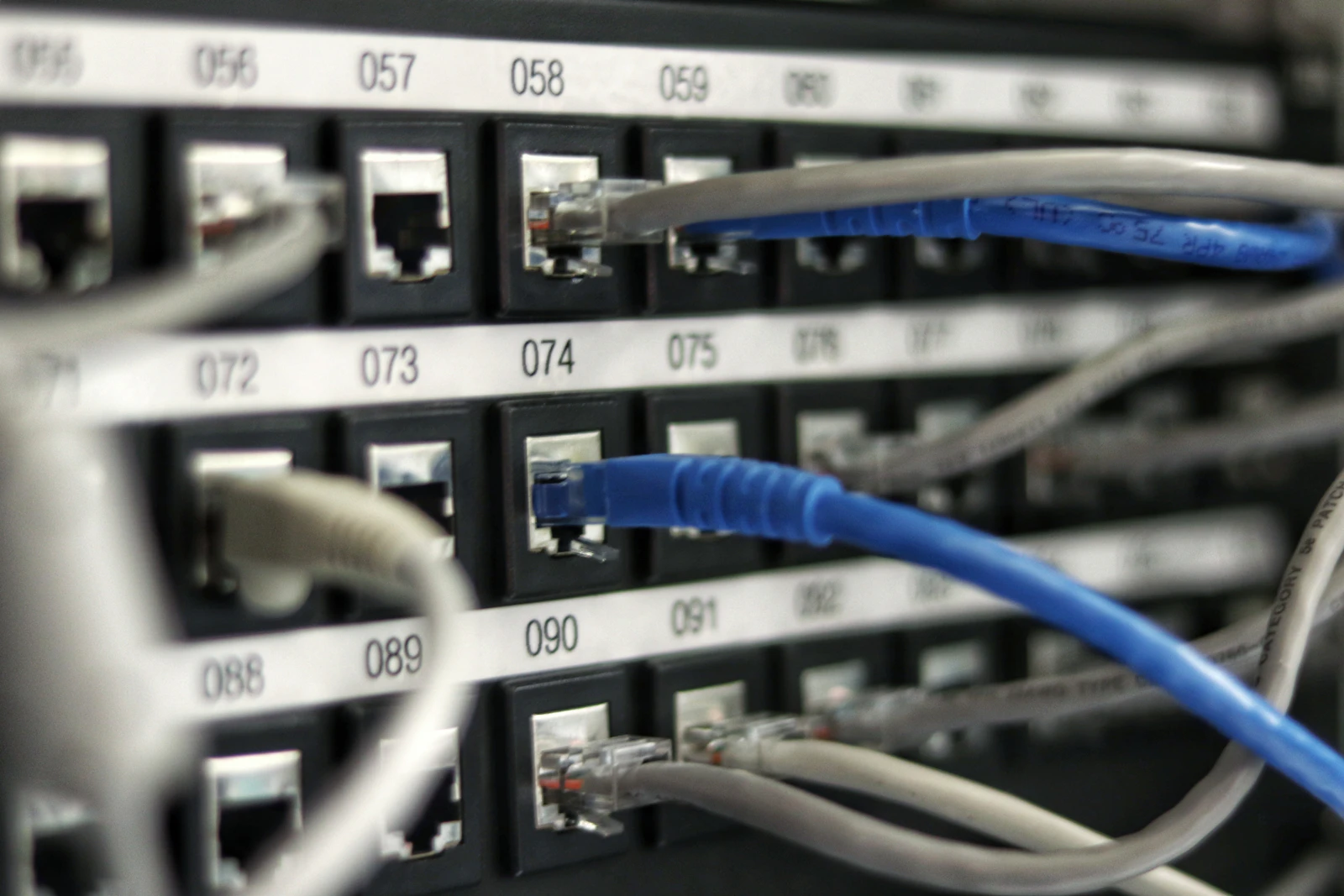
Strip away the branding and the construct is two dedicated circuit products joined in the middle: OCI FastConnect on the Oracle side, AWS Direct Connect on the Amazon side, paired at a meet point, either a colocation facility where both clouds have a presence or a partner exchange with connectivity into both. Traffic between your OCI virtual cloud network and your AWS VPC flows over private peering across that pairing, end to end, without ever touching the public internet.
That last clause is the whole value proposition. A VPN over the internet gives you encryption but not predictability: your packets inherit whatever congestion the internet offers that hour. The paired circuits give you a dedicated path, consistent latency character, predictable throughput, and no exposure to the public network. Some metros offer pre wired pairings that speed setup; elsewhere an exchange partner provides the path. Either way: two clouds, one private wire, BGP exchanging routes across it.
Be precise about what this is not: it is not Oracle hardware inside AWS. The database stays in an OCI region with the full native service surface, the applications stay in AWS with theirs, and the interconnect is plumbing between two sovereign estates, with architecture, operations, and billing reflecting that.
When you reach for it
The interconnect earns its place in four recurring situations, all with a common shape: the applications belong on AWS, the Oracle estate is better served on native OCI, and the two need to talk at low latency.
The split stack by conviction. Some organizations have concluded that AWS is the right home for their applications and OCI for their Oracle databases, on price, Exadata capability, or licensing economics. For them the interconnect is the target architecture.
Database@AWS does not fit. If your region is not on the Database@AWS list, your workload is too small to justify a dedicated Exadata footprint, or you need OCI services the embedded model does not expose, the interconnect delivers the same logical outcome with the database on the platform that has everything.
The migration bridge. Phased migrations spend months or years with some systems moved and others not. An interconnect lets you move the database to OCI first while latency sensitive applications wait their turn on AWS. Many interconnects we design are explicitly temporary, which changes the redundancy and contract decisions.
Disaster recovery across clouds. Replication between a primary in one cloud and a standby in the other needs a private, predictable path. The interconnect is frequently the transport underneath the patterns in multicloud DR with the Database@ services.
Latency: design to structure, not to a brochure
Latency is the first question every architect asks, and the honest answer has a structure rather than a number. It is dominated by physical distance between the two regions, plus the path through the meet point. Pair regions in the same metro and the distance term collapses: round trips take on a single digit millisecond character, the regime where chatty application to database traffic stays viable. Pair distant regions and physics charges you for every kilometer, however premium the circuits.
So the structural guidance is this. Choose the OCI region and the AWS region as a pair, not independently; the goal is a same metro pairing or the closest equivalent. Treat any published figure as a hypothesis, not a design input: the brochure number was measured on someone else's workload, on someone else's day. Measure round trips yourself, under load, through the actual circuits, before any production commitment. And profile the application honestly: one that makes hundreds of sequential database calls per transaction multiplies every millisecond by hundreds.
Throughput and resilience
Bandwidth is a provisioning decision: you order circuits at a port speed on each side, and the smallest link in the chain sets the ceiling. Sizing starts with an honest inventory of the flows that will cross the wire: steady state traffic, replication, backups, bulk loads. Migration phases spike far above steady state, and a circuit sized for the destination architecture can become the bottleneck of the migration itself.
An unpaired circuit is a single point of failure between your applications and your data, and deserves to be treated as one. The standard pattern is two circuits per side minimum, on diverse physical paths and ideally diverse meet points, with BGP managing failover. Then, and this is the step most teams skip, deliberately fail a circuit before production depends on it. A surprise in a maintenance window beats the same surprise at peak.
The cost anatomy
The interconnect's bill is small next to a database platform bill, but it has more moving parts than teams expect, sitting with different vendors. We will not quote prices, because rates change and contracts modify them, but the anatomy is durable.
Port hours, both sides. You pay Oracle for the FastConnect port and AWS for the Direct Connect port, each metered for every hour it exists, busy or idle. Redundancy doubles this line by design, and that is money well spent.
The middle. If a partner exchange or colocation provider sits between the clouds, they charge too: cross connects, exchange ports, or a monthly fee. This is the line that most often goes unmodeled, because it belongs to neither cloud's calculator.
Egress, both directions, asymmetrically. Data leaving each cloud is charged by that cloud, and the two price egress very differently. OCI's networking economics are notably generous, so query results flowing from OCI to AWS ride the cheaper meter, while traffic leaving AWS pays structurally higher rates. The direction of your heavy flows matters, and an architecture review that reshapes a flow can be worth more than any rate negotiation. Model all three layers before you commit, and rerun the model when the traffic profile changes.
Interconnect, Database@AWS, or VPN
Three constructs can connect AWS applications to Oracle databases. The comparison with RDS for Oracle is a separate question about where the database itself should live; here we compare paths to an Oracle database that is not native to AWS.
| Dimension | Oracle Interconnect for AWS | Database@AWS | VPN over public internet |
|---|---|---|---|
| Latency character | Single digit millisecond character with same metro pairing; rises with distance | Lowest; database sits inside the AWS data center | Variable and unpredictable; rides shared internet paths |
| Bandwidth | Provisioned port speeds, scalable by adding circuits | Local fabric inside the region; the wide area question disappears | Limited by VPN gateway throughput and internet conditions |
| Setup effort | Weeks; circuits, meet point, peering, testing | Months of commercial and onboarding work, then simple networking | Days; software configuration only |
| Cost character | Port hours both sides, exchange fees, egress both ways | Premium platform commitment; the network is no longer the cost story | Lowest direct cost; gateway hours and standard egress |
| Best fit | Split stack estates, regions without Database@AWS, migration phases | Latency critical Oracle workloads committed to AWS | Low volume, latency tolerant traffic, pilots, interim links |
The VPN is where everyone starts and where small workloads can legitimately stay. Database@AWS is where you land when the database must sit next to the applications and the workload justifies dedicated infrastructure. The interconnect is the broad middle: real engineering, modest cost, full native OCI behind it.
Security posture
Private peering means your traffic traverses dedicated circuits, never the public internet: no internet facing endpoint to attack, no public route to hijack, and a far smaller exposure surface than any VPN gateway. Who sees what is also legible: your own circuits, the meet point provider's cross connect, and the two cloud edges, a short and auditable list.
Private is not the same as encrypted, and your threat model decides whether that distinction matters. Many organizations are satisfied that a dedicated private path plus encryption on the database protocol, which Oracle provides natively, covers the realistic risks. Regulated environments sometimes mandate encryption of every wide area link, in which case IPsec can run over the interconnect, trading some throughput for compliance. Decide deliberately and write it down; the worst position is the unexamined assumption.
Operating the thing
An interconnect is jointly owned infrastructure, and joint ownership without explicit agreements means nobody owns it. Three disciplines keep it healthy.
Monitor both ends, not one. Each cloud gives you metrics for its own end only, and a circuit can degrade on one side while the other dashboard stays green. You need telemetry from both clouds plus an end to end probe that measures what applications actually experience. Alert on the probe first, the component metrics second.
Settle the ownership split in writing. Who orders circuit changes, who holds the exchange partner relationship, who is on the bridge when BGP flaps at 3 a.m. A one page RACI written on a calm day saves hours on a bad one.
Write the circuit failure runbook before the failure. Cover detection, confirmation that failover engaged, application impact checks, escalation paths, and the criteria for declaring the event over. Rehearse it; a runbook that has never been walked is just a document.
A seven step build framework
Here is the sequence we use to design and deliver an interconnect.
- Define the flows and bandwidth honestly. Inventory every flow that will cross the wire, including replication, backup, and migration bulk loads, and size for the worst phase.
- Pick the meet point and partners. Choose the region pairing for proximity, then the colocation facility or exchange partner that serves both with diverse paths available.
- Order circuits both sides with redundancy. Two per side minimum, on diverse paths, lead times confirmed in writing; circuit delivery is the long pole of the project.
- Configure FastConnect and Direct Connect peering. Establish private virtual circuits, bring up BGP, and verify route advertisement is exactly as scoped.
- Test latency and failover before production. Measure round trips under representative load, then fail each circuit deliberately and time the convergence.
- Instrument both ends with alerting. Deploy the end to end probe, wire both clouds' metrics into one view, route alerts to the named owner.
- Review utilization and cost quarterly. Compare throughput to provisioned capacity, check egress against the model, resize or renegotiate when the gap persists.
The mistakes we see most often
Interconnect projects fail in predictable ways, almost all traceable to treating the network as an afterthought to the database decision.
- Designing to a quoted latency figure instead of testing the real pairing under real load.
- Ordering a single circuit per side to save money, then carrying a silent single point of failure between every application and its data.
- Pairing distant regions because each cloud's region was chosen independently, then discovering physics after go live.
- Forgetting the middle of the bill: the exchange or colocation fees that belong to neither cloud's calculator.
- Ignoring egress direction, putting the heavy flow on the expensive meter when an architecture tweak could reverse it.
- Never rehearsing failover, so the first BGP convergence test happens during a real outage.
- Leaving ownership ambiguous, with two teams and two support contracts all assuming someone else holds the pager.
Interconnect or Database@AWS: the decision
So when do you stop at the interconnect, and when do you move the database into AWS with Database@AWS? Three questions decide it. Latency tolerance: if the application cannot tolerate a metro scale round trip, no interconnect will save it, and the database needs to sit inside the AWS region. Scale: Database@AWS is built around dedicated infrastructure with a commercial shape to match, and smaller workloads are better served by native OCI behind an interconnect. Service surface: native OCI offers the complete Oracle catalog, the embedded services a curated subset. Cost cuts the same way: the interconnect keeps the database on the platform with the friendliest egress economics for a modest networking premium. The way to find out which answer is yours is measurement, not preference.
The engagement model matters here. Network design is a bounded problem, which is why we deliver it on a fixed project fee: flows, meet point, circuits, peering, testing, documentation, done. Running it afterwards is continuous, which the Managed Monthly retainer covers, with both ends monitored 24/7/365 and the failover rehearsals actually happening. And the quarterly utilization review frequently feeds our Optimization work, where the fee is paid only on verified savings. The full practice lives under our OCI networking solution.
Bringing it together
Oracle Interconnect for AWS is the unglamorous workhorse of Oracle multicloud: a private, predictable wire between the cloud where your applications live and the cloud where your database runs best. It is the right answer when the split stack is the target architecture, when Database@AWS is unavailable or oversized, and during the long middle of a phased migration. Get the region pairing right, buy redundancy, test with your own traffic, model the whole bill, and put names on the ownership, and the network disappears into the background, exactly where a network belongs.
Free white paper
Go deeper on this topic with The Oracle Workload TCO Benchmark 2026, OCI vs AWS vs Azure for Oracle workloads, with worked three year scenarios. An independent analyst style report with comparison tables and recommendations, free with a work email. Prefer a monthly summary instead? The OCI Brief delivers one practical OCI briefing a month.
Part of a series
This guide is part of OCI Networking — our complete pillar guide on the topic.
Moving Oracle workloads to OCI, or already running on OCI and not sure the architecture or the spend is right? Most teams bring in a specialist before they commit to a region, a shape, or a Universal Credits number. OCISpecialists.com plans the landing zone, runs the migration, and manages the estate after go live, on a fixed project fee, a managed monthly retainer, or a cost optimization fee paid only on verified savings.